Category: Technology

  • How spatial audio is changing headphones and earbuds

    How spatial audio is changing headphones and earbuds

    Headphones used to be mostly about volume, bass, comfort, and noise cancellation. Now brands are trying to make sound feel wider, deeper, and more lifelike. Spatial audio is the big reason. Instead of keeping everything locked between your left and right ears, it can make music, movies, games, and videos feel like they are happening around you.

    Apple promotes Personalized Spatial Audio with dynamic head tracking on AirPods, Sony offers 360 Reality Audio, Samsung has 360 Audio for Galaxy Buds, Google supports spatial audio with head tracking on Pixel Buds Pro models, and Bose uses Immersive Audio in some headphones. These features do not all work the same way, but they show where personal audio is going: less flat, more open, and more like a room-sized experience in a pocket-sized device.

    Sound feels less flat

    a man with a beard wearing a headset
    Photo by Mathieu Improvisato on Unsplash

    Regular stereo sound usually feels like it sits between your ears. Spatial audio tries to spread that sound out, so voices, instruments, and effects feel like they have more space.

    That can make a movie scene feel bigger or a live song feel more open. It does not always replace speakers, but it can make headphones feel less boxed in and more natural.

    Apple made it familiar

    shallow focus photo of Apple AirPods
    Photo by Daniel Romero on Unsplash

    Apple helped make spatial audio a mainstream headphone feature through AirPods. Its current AirPods page highlights Personalized Spatial Audio with dynamic head tracking on models like AirPods Pro and AirPods Max.

    For everyday users, the Apple pitch is simple: turn your head, and the sound can feel like it stays placed around you. That makes supported movies, shows, and music feel more anchored than standard stereo.

    Samsung keeps it mobile

    person holding black game controller
    Photo by Daniel Romero on Unsplash

    Samsung’s 360 Audio is built around Galaxy phones and Galaxy Buds. Samsung says the feature can create an immersive experience with sound coming from all directions while watching videos.

    That matters because many people now watch shows, clips, and tutorials on phones. Spatial audio gives earbuds a bigger job: not just playing sound, but helping a small screen feel more cinematic.

    Sony focuses on music

    black samsung headphones on white printer paper
    Photo by Vova Kondriianenko on Unsplash

    Sony’s 360 Reality Audio is aimed heavily at music. Sony says users can experience it with headphones through an immersive sound field, and it also supports certified products beyond headphones.

    The idea is to make songs feel less like a flat recording and more like a space. Vocals, drums, and instruments can seem separated around the listener when the track and service support the format.

    Google ties it to Pixel

    Close-up view of a wireless earbud on a smartphone, showcasing modern technology.
    Photo by Hemil Dhanani on Pexels

    Google supports spatial audio with head tracking on Pixel Buds Pro and Pixel Buds Pro 2 when paired with Pixel 6 or newer Pixel phones. Google also says Pixel Buds 2a support stereo spatial audio without head tracking.

    This shows how spatial audio often depends on the full setup. The earbuds matter, but so do the phone, app, content, and software settings.

    Bose takes a wider route

    a pair of ear buds in a case
    Photo by Mudit Jain on Unsplash

    Bose uses the name Immersive Audio for its version of spatial sound. Bose says its spatial headphones combine noise cancellation with immersive audio to make detail sound clearer and more lifelike.

    That is important because spatial effects can be harder to notice in noisy places. When noise cancellation lowers outside distractions, the wider soundstage can feel easier to hear.

    Movies gain more depth

    a toy car on a table
    Photo by Shreyaan Vashishtha on Unsplash

    Spatial audio can be especially useful for movies and shows. A scene with footsteps, rain, music, or a crowd can feel more layered when sound seems to come from different directions.

    Dolby Atmos is one of the biggest names here. Dolby describes Atmos as a spatial audio technology designed to make entertainment feel more immersive, including music, movies, TV, and live sports.

    Games can feel more aware

    a close up of an electronic device on a table
    Photo by Hector Reyes on Unsplash

    For gaming, spatial audio can make headphones feel more practical, not just more dramatic. Directional sound can help players sense where movement, action, or background details are coming from.

    This is why many gaming headsets and earbuds now talk about virtual surround or 3D sound. The goal is not only louder audio. It is better awareness inside the game world.

    Not every track changes

    A smartphone playing music with wireless earbuds and a case.
    Photo by N1CE on Unsplash

    Spatial audio is exciting, but it is not magic. Some songs, videos, and apps support it better than others. A normal stereo track may not sound as dramatic as a movie or song mixed for immersive audio.

    That means buyers should check compatibility before expecting a huge difference. The best results usually come when the headphones, phone, app, and content all support the same type of spatial experience.

    Headphones are becoming smarter

    white and gray wireless headphones
    Photo by Akhil Yerabati on Unsplash

    Spatial audio is pushing headphones and earbuds beyond simple listening. Brands now use motion sensors, software processing, app settings, and personalized tuning to shape how sound reaches each ear.

    That makes future headphones feel more like smart devices than basic speakers. Apple, Samsung, Sony, Google, Bose, JBL, and others are all chasing the same idea: sound that feels bigger than the device playing it.

  • Why premium headphones are becoming design statements

    Why premium headphones are becoming design statements

    Premium headphones used to be mostly about sound. Now they also say something about taste, lifestyle, and personal style. Big over-ear models are no longer hidden in a bag or saved only for flights. People wear them at coffee shops, on walks, at school, at work, and in social posts.

    That has pushed brands to care more about shape, color, materials, comfort, and how the headphones look with an outfit. Apple launched AirPods Max in multiple colors, Dyson built OnTrac around customizable finishes, and Bowers & Wilkins highlights luxury materials like aluminum and Nappa leather. The result is simple: headphones are becoming useful tech that also works like a fashion accessory.

    Style now matters more

    a man with a beard wearing a headset
    Photo by Mathieu Improvisato on Unsplash

    Premium headphones are no longer judged by sound alone. Shoppers also look at color, shape, finish, and how natural the headphones feel with daily outfits.

    That shift makes design a bigger part of the purchase. A clean pair of headphones can feel like sneakers, a watch, or a bag: useful, visible, and part of someone’s personal look.

    Over-ear designs stand out

    woman wearing gray and silver headphones
    Photo by Mika Baumeister on Unsplash

    Small earbuds almost disappear, but over-ear headphones are easy to notice. Their size gives brands more room to use bold shapes, soft curves, metal accents, and standout colors.

    That visibility is part of the appeal. When headphones sit around the head or neck, they become part of the full outfit instead of just another device in a pocket.

    Colors feel more personal

    White and silver headphones resting on a wooden table
    Photo by Georgiy Lyamin on Unsplash

    Color choices help headphones feel less one-size-fits-all. Apple’s AirPods Max launched in space gray, silver, sky blue, green, and pink, showing how color can turn tech into a style choice.

    Dyson’s OnTrac also leans into personalization with several color combinations and customizable parts. That gives buyers more ways to match their headphones to their taste.

    Materials send a message

    Marshall headphones, a dark shirt, and brown shoes.
    Photo by N1CE on Unsplash

    Premium materials can make headphones feel closer to fashion goods. Bowers & Wilkins says its Px8 uses aluminum arms, Nappa leather, memory foam, and metal detailing for a more polished look.

    Those touches help explain why some headphones cost more. Buyers are not only paying for audio parts; they are also paying for comfort, durability, and a more refined finish.

    Comfort became part of style

    Sculpture of a head wearing headphones on a stand.
    Photo by Georgiy Lyamin on Unsplash

    Headphones may look great, but they still need to feel good. A pair that pinches, slides, or feels heavy will not become someone’s daily favorite for long.

    That is why brands now promote plush cushions, lighter frames, and long-wear comfort. Bose, for example, highlights plush comfort and up to 30 hours of battery life on its newer QuietComfort Ultra model.

    Noise control adds lifestyle value

    White headphones with two small microphones and transmitter.
    Photo by JJ ROCHA on Unsplash

    Noise canceling has become part of the premium image. It helps people focus during travel, schoolwork, office tasks, or quiet time at home.

    That feature also adds to the “designed life” feeling. A stylish pair of headphones does not just complete a look; it can also create a calmer space in a busy day.

    Social media boosts the look

    Black headphones hanging from a stand
    Photo by Kyle Mesdag on Unsplash

    Headphones show up clearly in mirror photos, travel clips, study posts, and street-style videos. That makes their design more visible than many other tech accessories.

    When people see headphones as part of a full look, brands have more reason to make them camera-ready. Smooth finishes, simple logos, and special colors all help online.

    Brands are chasing identity

    Red sony headphones illuminated in darkness
    Photo by Mustafi Numann on Unsplash

    Premium headphone brands are building stronger design identities. Some lean clean and minimal, while others go bold, sporty, retro, or luxury-inspired.

    Beats has also used collaborations as part of its style image. Its official collaboration page lists special-edition models, including Beats Solo 4 designs tied to artist and fashion culture.

    Tech is becoming wearable

    Young woman in leather jacket near record player
    Photo by maks_d on Unsplash

    Phones and laptops are carried, but headphones are worn. That makes them closer to clothing than many other gadgets.

    As more people wear headphones for long stretches, design becomes more important. A pair needs to sound good, feel good, and look like it belongs with someone’s everyday routine.

    The trend keeps growing

    man using black and gray corded headphones
    Photo by Pacha パチャ Shot’s on Unsplash

    Premium headphones are becoming design statements because they sit at the meeting point of sound, comfort, color, and identity. They are practical but also easy to notice.

  • Why wireless TVs are really about hiding cables

    Why wireless TVs are really about hiding cables

    A “wireless TV” sounds like a screen that needs no cables at all, but that is not quite where most models are today. The bigger goal is usually cleaner design. Instead of having several HDMI cords, streaming boxes, consoles, and soundbar cables hanging behind the screen, newer systems try to move those connections away from the wall-mounted TV.

    LG’s wireless OLED models use a Zero Connect Box to send audio and video to the screen, while the TV still needs power. Samsung’s One Connect approach also focuses on reducing visible cable clutter by routing connections through a slimmer, more hidden setup.

    The screen looks cleaner

    a room with a tv and shelves
    Photo by Wemax Projectors on Unsplash

    The main appeal of a wireless TV is not magic. It is the clean look. A wall-mounted screen can look much better when there are fewer cords hanging under it.

    That matters because TVs are now part of home design. People want the screen to blend into the room, not show a messy bundle of wires, adapters, boxes, and power strips.

    The box does the work

    Smart TV displaying streaming content in modern living room setting with exposed brick wall.
    Photo by www.kaboompics.com on Pexels
    Many wireless-style TVs still use a separate box. Game consoles, streaming devices, cable boxes, and other gadgets plug into that box instead of the back of the TV.

    LG’s Zero Connect Box, for example, sends video and audio signals wirelessly to the screen, while the TV still needs a power cable. That makes the setup look simpler from the front.

    Power still needs a cord

    LG TV, ‘2014 CES’ 어워드 휩쓸어” by LGEPR is licensed under CC BY 2.0

    The word “wireless” can be a little confusing. Most wireless TVs are not fully cable-free because the screen still needs electricity.

    That means one cord usually remains, even if the other connections are hidden or moved away. For many homes, that is still a big improvement because one neat power line is easier to manage than several messy cables.

    Wall mounting gets easier

    a bedroom with a large mirror and a bed
    Photo by Medea Dzagnidze on Unsplash

    Wall-mounted TVs can look great, but the cables often ruin the effect. A wireless-style setup can make the screen feel more like a framed display than a pile of electronics.

    This is especially helpful in living rooms, bedrooms, and open spaces where the back of the TV area is visible. Fewer cables can make the whole room feel cleaner and more planned.

    Cable clutter moves away

    A stylish bedroom with modern design and comfort.
    Photo by POOJAN THANEKAR on Unsplash

    Wireless TVs do not always remove the clutter. Sometimes they simply move it. The wires may still exist, but they are connected to a box placed inside a cabinet, on a shelf, or near the entertainment stand.

    That can still be useful. It keeps the messy part away from the screen and gives people more freedom to arrange devices without reaching behind a mounted TV.

    The real goal is design

    Luxurious hotel room featuring elegant furniture and a large mirror reflecting a chandelier.
    Photo by Rahib Yaqubov on Pexels
    Wireless TV technology is exciting, but the everyday benefit is simple: a nicer-looking setup. Most people are not buying the idea because they hate HDMI cables. They want the room to look cleaner.

    That is why cable-hiding systems are getting attention. Whether the signal is wireless or routed through one slim cable, the promise is the same: less visual mess and a screen that feels easier to live with.

  • How giant monitors are replacing multi-screen setups

    How giant monitors are replacing multi-screen setups

    A desk with two or three monitors used to feel like the ultimate productivity setup. You could keep email on one screen, a browser on another, and your main project in the middle. Now, many people are looking at giant ultrawide and super-ultrawide monitors as a cleaner way to do the same thing. Some large displays offer the space of two screens in one panel, with fewer bezels, fewer stands, and fewer cables.

    Samsung’s 57-inch Odyssey Neo G9, for example, uses Dual UHD resolution that Samsung describes as a display as wide as two UHD monitors. Dell’s 49-inch UltraSharp model also supports multitasking tools like Picture-by-Picture and KVM switching. For home offices, gaming rooms, and creative setups, one huge screen can now feel simpler than several smaller ones.

    One screen feels cleaner

    man sitting on table holding flat screen computer monitor
    Photo by Alexandru Acea on Unsplash

    A giant monitor can reduce the visual clutter that comes with multiple screens. Instead of separate stands, different bezels, and extra cables, users get one large display across the desk.

    That cleaner setup can make a workspace feel calmer. It also helps when people want a modern home office that looks organized without losing screen space for daily work, browsing, video calls, or creative tools.

    Fewer bezels help focus

    a computer monitor sitting on top of a desk
    Photo by Trần Quang Phú on Unsplash

    One of the biggest complaints with multi-screen setups is the line between displays. A bezel can cut through spreadsheets, timelines, games, or wide editing windows.

    A giant monitor removes that break. The result feels smoother because the workspace stretches across one continuous panel. That can be especially helpful for video editors, designers, gamers, and anyone who likes wide layouts.

    Multitasking stays simple

    Curved screen displaying a blue planet in space.
    Photo by Gavin Phillips on Unsplash

    Large ultrawide monitors still let people keep several windows open at once. A user can place a document, browser, chat, and file window side by side without needing separate screens.

    Windows 11 Snap layouts also help organize open apps on large displays. Microsoft says Snap can arrange apps into layouts, making big screens easier to manage for everyday multitasking.

    Picture modes add flexibility

    black flat screen computer monitor on brown wooden desk
    Photo by Luke Peters on Unsplash

    Some giant monitors can act like more than one screen when needed. Samsung lists Picture-by-Picture support on its 57-inch Odyssey Neo G9, allowing video from two sources to appear at the same time.

    That is useful for people who switch between a work laptop and personal computer. Instead of using two physical monitors, one wide display can show both systems in a cleaner layout.

    KVM tools reduce desk gear

    black flat screen computer monitor on brown wooden desk
    Photo by Linus Mimietz on Unsplash

    A built-in KVM switch can make a large monitor even more useful. Dell says its UltraSharp U4924DW can control two PCs with one keyboard and mouse through its KVM feature.

    That saves space and reduces cable clutter. It also makes switching between devices feel easier, especially for people who use one desk for work during the day and personal projects later.

    Gaming gets more immersive

    a computer screen with a video game on it
    Photo by Fábio Magalhães on Unsplash

    Giant monitors are not just for work. Wide screens can make games feel more immersive by showing more of the world across the player’s view.

    Samsung’s 57-inch Odyssey Neo G9 uses a 32:9 shape and Dual UHD resolution, which Samsung describes as as wide as two UHD monitors. That kind of scale can make racing, flight, simulation, and open-world games feel much larger.

    One monitor is not perfect

    a desk with a monitor, keyboard and mouse
    Photo by EJ Aquino on Unsplash

    A giant monitor can solve many desk problems, but it is not right for everyone. These displays can be expensive, heavy, and large enough to need a deep desk.

    Some people may still prefer separate monitors because they can angle each screen differently or replace one display at a time. Still, for many users, one big panel offers a cleaner, smoother way to work and play.

  • Why portable projectors are becoming serious screens

    Why portable projectors are becoming serious screens

    Portable projectors used to feel like fun backup gadgets, not real screen replacements. They were handy for trips, quick presentations, or backyard movie nights, but many struggled with weak brightness, low resolution, poor speakers, and awkward setup. That picture is changing. Newer models are bringing sharper images, brighter LED or laser light sources, built-in streaming systems, automatic focus, auto keystone correction, better speakers, and easier wireless connections.

    Some compact projectors now offer 1080p pictures, Google TV, battery options, and screen sizes that can stretch far beyond a typical TV. Epson’s projector guide notes that 500 to 1,500 lumens can work well for portable projectors used indoors or in controlled lighting, while newer portable models are clearly pushing convenience and quality together.

    Small size feels useful

    a small camera sitting on top of a rock
    Photo by Projector1 on Unsplash

    Portable projectors are getting easier to carry from room to room. That makes them feel less like fixed home theater gear and more like flexible everyday screens.

    A compact design matters because people do not always want another large TV. A projector can move from a bedroom to a living room, guest room, garage, or backyard with less effort.

    Setup is getting easier

    A couple enjoys a movie night outdoors with a projector.
    Photo by Valerion 4K Projector on Unsplash

    Older projectors often needed careful placement, manual focusing, and plenty of patience. That could make a quick movie night feel like a small project.

    Newer portable models often include autofocus and auto keystone tools. These features help straighten and sharpen the picture faster, so users can spend less time adjusting and more time watching.

    Streaming is built in

    Man playing video games with projector in living room
    Photo by Valerion 4K Projector on Unsplash

    A portable projector becomes more useful when it does not need extra boxes or cables. Built-in streaming software can make it feel closer to a smart TV.

    Some newer models include Google TV or similar platforms, which helps users open streaming apps directly. That makes the projector easier to use in different rooms or on casual weekend nights.

    Bigger screens feel simple

    Man uses projector to display mountain landscape on wall.
    Photo by Valerion 4K Projector on Unsplash

    One reason portable projectors are getting attention is screen size. Even a small device can create a picture much larger than many TVs, depending on the room and wall space.

    That makes them appealing for movies, sports, family photos, and casual gaming. The screen can feel special without needing a huge permanent display on the wall.

    Brightness is improving

    Couple enjoys a movie night outdoors.
    Photo by Valerion 4K Projector on Unsplash

    Brightness is still one of the biggest limits for portable projectors. A dim room usually gives the best results, especially with smaller battery-powered models.

    Still, the category is improving. Epson’s guide says brightness needs depend on the viewing space, and portable projectors can work well indoors when lighting is controlled.

    Speakers are more important

    People watch a movie outdoors at night.
    Photo by Valerion 4K Projector on Unsplash

    A portable screen needs sound that travels with it. That is why built-in speakers are becoming a bigger part of the package, not just a small extra.

    Some portable projectors now promote tuned audio systems or stronger built-in speakers. That can make casual viewing easier because users may not need to connect a separate speaker every time.

    Battery power adds freedom

    Sleek white portable projector with a strap, perfect for home or travel use.
    Photo by Alpha En on Pexels

    Battery-powered models can make projectors feel more flexible. They can be used where an outlet is not nearby, as long as the battery lasts long enough for the plan.

    This is especially useful for short movies, kids’ rooms, travel, or outdoor evenings. Still, buyers should remember that brighter settings can drain battery life faster.

    They fit modern homes

    a hand holding a small camera in front of a building
    Photo by Projector1 on Unsplash

    Many homes are now built around flexible spaces. A living room may also be a work area, a playroom, or a place for weekend entertainment.

    Portable projectors fit that lifestyle well. They do not need to stay in one place, and they can create a big-screen moment only when people actually want one.

    They still need limits

    a white projector sitting on top of a table
    Photo by Projector1 on Unsplash

    Portable projectors are better than before, but they are not perfect for every room. Bright sunlight, textured walls, weak Wi-Fi, or low battery power can still affect the experience.

    That is why they work best as flexible screens, not always as full TV replacements. For many households, that balance is exactly what makes them interesting.

    Serious screens are shrinking

    man in black t-shirt and gray pants sitting on chair
    Photo by Li Yang on Unsplash

    The big shift is that portable projectors no longer feel like simple novelty devices. Better setup tools, smarter software, stronger brightness, and improved sound are making them more practical.

    They may not replace every TV, but they can change how people think about screens. A serious viewing setup can now fit in a bag, on a shelf, or on a small side table.

  • Why companies want AI tools that are useful, not flashy

    Why companies want AI tools that are useful, not flashy

    AI used to sound like a race for the biggest demo, the wildest chatbot, or the most futuristic promise. Now, many companies are asking a simpler question: Does this tool actually make work easier? That shift matters because business leaders are no longer impressed by AI that only looks clever. They want tools that save time, reduce busywork, help teams make better choices, and integrate with the systems they already use.

    The pressure is real. McKinsey reported that 78% of surveyed organizations use AI in at least one business function, while 71% regularly use generative AI in at least one business function. But more than 80% still were not seeing a clear companywide earnings impact from generative AI, which explains why practical results matter more than hype.

    The hype phase is fading

    Woman holding smartphone with ai workspace logo.
    Photo by Jo Lin on Unsplash

    Companies have tested plenty of shiny AI tools, but testing is not the same as real value. A fun demo can win attention for a day, yet business teams need tools that help them finish work faster and with fewer mistakes.

    That is why the mood around AI is changing. Leaders are asking for clear use cases, reliable output, and results they can measure. Flashy features may get noticed, but useful features earn a place in daily work.

    Workflows matter most

    Man working on computer and large monitor
    Photo by litoon dev on Unsplash

    A good AI tool should not feel like another chore. It should fit into the way people already handle emails, reports, customer questions, coding, planning, or research.

    Microsoft describes the first stage of workplace AI as an assistant that removes routine work and helps people do the same work better and faster. That is the kind of value companies can understand because it connects directly to daily tasks.

    Leaders want clear savings

    three men sitting while using laptops and watching man beside whiteboard
    Photo by Austin Distel on Unsplash

    Business leaders do not only want AI that sounds smart. They want to know whether it saves hours, cuts costs, or helps teams move faster without lowering quality.

    McKinsey found that more organizations are reporting cost reductions in business units using generative AI. Still, companywide impact remains harder to prove. That gap is pushing companies to focus on tools that can show results in specific departments first.

    Workers need trust

    people sitting on chair in front of computer
    Photo by Israel Andrade on Unsplash

    Employees are more likely to use AI when they understand what it does and when they can check its work. A tool that gives unclear answers or adds extra review time can slow people down instead of helping.

    That is why useful AI is not just about speed. It also needs clear sources, strong guardrails, and simple ways for workers to correct mistakes. Trust turns AI from a novelty into a real helper.

    Simple beats impressive

    unknown persons using computer indoors
    Photo by Arlington Research on Unsplash

    The most valuable AI tools often do quiet jobs. They summarize long notes, organize information, draft first versions, search company knowledge, or highlight patterns that people may miss.

    Those tasks may not look dramatic, but they remove friction from the workday. For many companies, that is more important than a tool that creates a surprising demo but does not solve a real problem.

    Teams need better training

    people doing office works
    Photo by Alex Kotliarskyi on Unsplash

    AI works best when people know how to use it well. Many companies are learning that buying software is only the first step. Training, support, and clear rules matter just as much.

    McKinsey lists role-based training, feedback systems, trust-building, and clear performance tracking among the practices tied to scaling generative AI. That shows why companies want tools that come with a practical plan, not just a bold promise.

    AI should support people

    city buildings during night time
    Photo by Miquel Parera on Unsplash

    Many companies are not looking for AI to replace entire teams overnight. They are looking for ways to help workers handle repetitive tasks, make faster decisions, and focus on higher-value work.

    Reuters reported that the Bank of Canada saw no signs so far that AI was causing widespread job losses, while noting that AI may transform tasks rather than erase them. That view fits the business focus on support, not spectacle.

    Integration is the real test

    low angle photo of city high rise buildings during daytime
    Photo by Sean Pollock on Unsplash

    A tool can be powerful and still fail if it does not connect with existing systems. Companies need AI that works with their data, software, approval steps, and security rules.

    That is why practical AI often looks less exciting from the outside. The real win is when it quietly helps finance, customer service, sales, engineering, or operations do their jobs with fewer delays.

    Agents need direction

    car parked in front of building
    Photo by Matthew Manuel on Unsplash

    AI agents are getting more attention because they can handle tasks with less step-by-step prompting. But companies still need humans to set goals, review results, and make final calls.

    Microsoft says AI agents may take on more execution while people guide the work, make decisions, and own outcomes. That makes usefulness even more important because agents must be dependable, not just impressive.

    The winners will be practical

    Skyscrapers and cloudy sky dominate the city view.
    Photo by Daniel Romero on Unsplash

    The companies that benefit most from AI may not be the ones chasing every new feature. They may be the ones choosing tools that solve real problems, fit into daily work, and improve over time.

    That is the bigger lesson behind the shift from flashy to useful. AI does not need to feel futuristic every second. It needs to help people get better work done today.

  • Why smarter wearables may become health helpers, not just gadgets

    Why smarter wearables may become health helpers, not just gadgets

    A watch, patch, or ring may look simple on the outside, but modern wearable health tech can do much more than count steps. These devices can track signals from the body, such as heart rate, sleep patterns, movement, oxygen levels, and sometimes heart rhythm. The bigger change is how this data can be used. Instead of giving people one-time snapshots, wearables can help show patterns over days, weeks, or months.

    That does not mean every wearable is a medical device or a replacement for a doctor. Accuracy still matters, and health data needs careful use. But with better sensors, wireless sharing, and smarter software, wearables are becoming useful tools for everyday awareness, remote care, and early conversations with healthcare professionals.

    Health data gets personal

    a person holding a stopwatch
    Photo by Nik on Unsplash

    Many people only think about health numbers during a checkup. Wearables change that by bringing basic tracking into daily life. A device can follow things like movement, sleep, heart rate, or oxygen levels while someone works, rests, or exercises.

    That steady stream of information can help people notice patterns they may otherwise miss. It can show how sleep, activity, stress, or routine changes may affect the body over time.

    Sensors do the quiet work

    round white watch with white band
    Photo by Rachit Tank on Unsplash

    The real power inside many wearables comes from tiny sensors. These sensors collect signals from the body and turn them into data that apps or health platforms can show in a simple way.

    Some sensors track motion. Others measure light changes in the skin, heart activity, temperature, or oxygen levels. The device may look small, but it can gather useful clues when the sensors are designed well and worn correctly.

    Remote care becomes easier

    Doctor consults with patient via video call.
    Photo by Vitaly Gariev on Unsplash

    Wearables can also support remote care. Some devices can record and wirelessly send health data, such as blood pressure, oxygen levels, blood sugar readings, heart rate, movement, posture, or sleep information.

    This can help healthcare teams follow certain patients without requiring constant office visits. It may be especially helpful for long-term monitoring, follow-up care, or checking trends between appointments.

    Alerts can start conversations

    person operating smartwatch
    Photo by Luke Chesser on Unsplash

    One helpful feature of smarter wearables is the ability to flag unusual patterns. A device may notice a change in heart rate, sleep, movement, or another signal and encourage the user to take a closer look.

    These alerts should not be treated as a final diagnosis. They are better seen as conversation starters. When something seems off, users can share details with a healthcare professional and decide what steps make sense.

    Movement tells a story

    woman in white tank top lying on bed
    Photo by Somnox Sleep on Unsplash

    Wearables are not only about heart rate or sleep. Motion sensors can track how the body moves during walking, exercise, therapy, or daily routines. This can be useful for fitness, recovery, and fall-risk awareness.

    Many devices use sensors such as accelerometers and gyroscopes to understand movement. When combined, these readings can help create a clearer picture of posture, balance, steps, or activity level throughout the day.

    Comfort matters more than hype

    An oura ring and charging case are shown.
    Photo by Amanz on Unsplash

    A health wearable only helps when people actually wear it. If a device feels bulky, itchy, heavy, or hard to use, many users may take it off and stop collecting data.

    That is why comfort is not a small detail. Lighter designs, better straps, longer battery life, and simple apps can make tracking feel like part of a normal routine. Consistent use often leads to more useful health patterns.

    Smart software finds patterns

    Smartphone and smartwatch displaying apps on-screen data
    Photo by Amanz on Unsplash

    Sensors collect the raw information, but software helps make sense of it. Smart algorithms can compare readings over time and look for patterns that may not be obvious from one number alone.

    This is where AI and data analysis may become important. Instead of just showing today’s result, future wearables may help explain trends, changes, and possible next steps in clearer language.

    Medical use needs trust

    a hand holding a smart watch
    Photo by Nappy on Unsplash

    Not every health claim from a wearable should be accepted without question. Some features are meant for general wellness, while others may need medical review or FDA oversight.

    That difference matters. A step counter is not the same as a medical heart monitor. As wearables become more advanced, clear labeling, tested accuracy, and safe data handling will become even more important.

    Research keeps improving wearables

    a man laying on the floor next to a woman
    Photo by Angelina Sarycheva on Unsplash

    Researchers are using wearable sensors to study sleep, movement, stress responses, heart signals, and other body patterns. This can help improve future devices and support better health studies.

    Research-grade sensors can provide more detailed data than many basic consumer devices. Over time, these studies may lead to more accurate, comfortable, and useful wearables for everyday people and healthcare teams.

    Gadgets become health partners

    black smartwatch showing 08:11:23
    Photo by Andres Urena on Unsplash

    The future of wearables may be less about flashy features and more about helpful support. A good device can make health easier to understand without overwhelming the user.

    The best wearables will not replace doctors, nurses, or medical tests. Instead, they may help people stay more aware, share better information, and catch important changes sooner. That is what could turn simple gadgets into real health helpers.

  • 8 ways future computers could become more brain-like

    8 ways future computers could become more brain-like

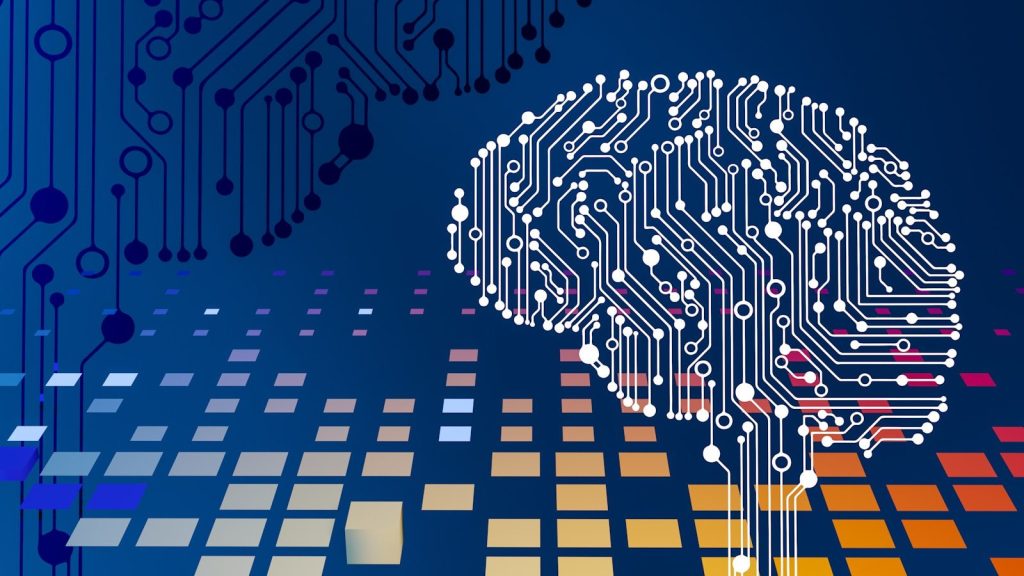
    Today’s computers are powerful, but they still work very differently from the brain. Most machines move data back and forth between memory and processors. That can waste time and energy, especially when running large AI systems. Brain-like computing tries a different path.

    Instead of treating memory, learning, and sensing as separate jobs, researchers are building systems that act more like networks of neurons and synapses. These designs could help future devices learn faster, use less power, and respond better to the world around them. The ideas are still developing, but the direction is exciting: computers may become less like calculators and more like smart, adaptive partners.

    Chips that mimic neurons

    A detailed close-up of a computer motherboard.
    Photo by momentry on Unsplash

    Future computers may use neuromorphic chips, which are designed to copy some patterns found in the brain. Instead of processing every task in a straight line, these chips can use networks that act more like groups of neurons.

    That could make computers better at tasks that need quick reactions, such as recognizing movement, sound, or changes in the environment. The goal is not to build a human brain, but to borrow useful design ideas from it.

    Memory and processing merge

    blue circuit board
    Photo by Umberto on Unsplash

    Most computers keep memory and processing in separate places. Moving data between them can slow things down and use extra energy. Brain-like systems may reduce that problem by bringing memory and computing closer together.

    Researchers call this near-memory or in-memory computing. It works more like the brain, where storage and activity are deeply connected. This could help future computers handle AI tasks faster without using as much power.

    Spikes replace steady signals

    person holding computer cell processor
    Photo by Brian Kostiuk on Unsplash

    The brain does not send a constant stream of signals all the time. Neurons fire only when needed. Some future computers may use a similar idea through spiking neural networks.

    These systems send short bursts of information, often called spikes. Because activity happens only when there is something to process, spiking systems may be useful for devices that need to save energy, like small robots, smart sensors, and wearable tech.

    Devices learn as they go

    a red light that is inside of a structure
    Photo by Planet Volumes on Unsplash

    Brain-like computers may become better at learning from fresh information without needing a full reset. This matters because real life changes constantly. A device may need to adapt to a new room, new voice, or new pattern.

    Neuromorphic systems are often built around the idea of plasticity. That means connections can change based on activity. In simple terms, future computers may learn more like experience shapes the brain over time.

    Artificial synapses get smarter

    a computer chip with the letter a on top of it
    Photo by Igor Omilaev on Unsplash

    Synapses are the connection points between neurons. In future computers, tiny electronic parts may act in a similar way by adjusting how strongly they pass signals. One important area of research involves memristors.

    Memristors can store and process information in the same device. Researchers are studying them because they can behave somewhat like artificial synapses. That could help build compact, energy-saving hardware for AI systems.

    Sensors react only to change

    white and black display shelf
    Photo by Farai Gandiya on Unsplash

    Brain-like computers may pair with smarter sensors that do not record everything equally. Instead, they can focus on changes, such as motion, light shifts, or sudden activity.

    This event-driven style is useful because it avoids wasting energy on information that has not changed. Researchers see this as especially promising for robotic vision, where machines need to react quickly without carrying large, power-hungry computers.

    Robots could respond faster

    robot, arm, technology, robot arm, robotics, kawasaki, science, orange, technique, electronics, automation, robot, robot arm, robot arm, automation, automation, automation, automation, automation
    Photo by jarmoluk on Pixabay

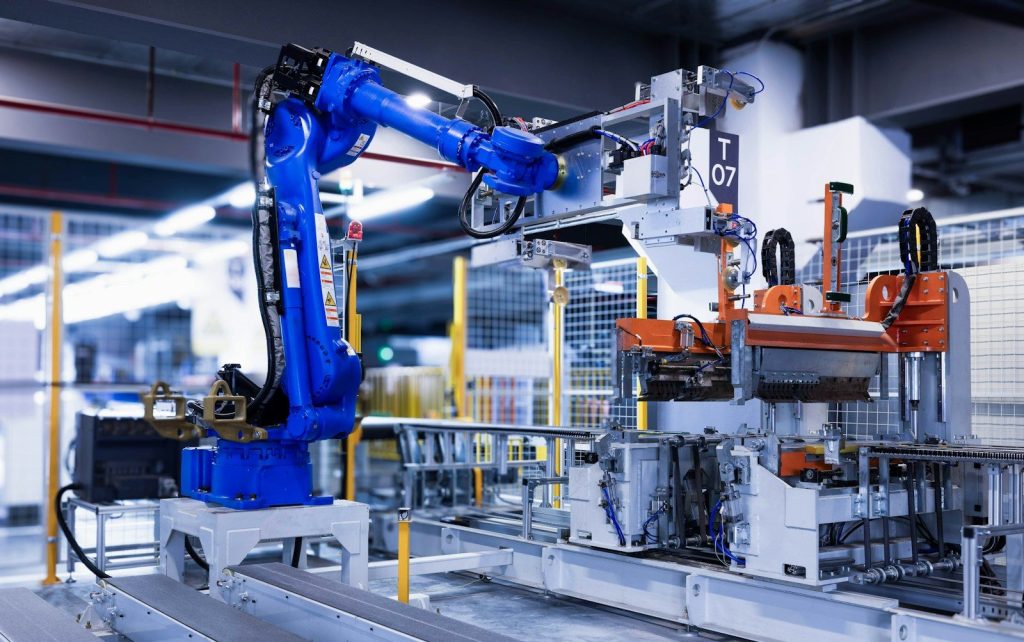
    Robots often need to make decisions in real time. They may have to avoid objects, follow movement, or understand changing spaces. Brain-inspired computing could help by reducing delays between sensing and action.

    Researchers are studying neuromorphic systems for edge devices, including robots and drones. These machines need fast responses without relying on huge data centers. A more brain-like design could make them quicker and more practical.

    Efficiency becomes the goal

    blue industrial robot arm in factory
    Photo by Homa Appliances on Unsplash

    Future computers may not only be judged by how fast they are. Energy use could become just as important. Brain-inspired designs aim to do more useful work with less power.

    That could matter for AI, mobile devices, medical tools, and smart home systems. The field still faces challenges, including standards, software tools, and large-scale testing. But the big idea is clear: smarter computing may also need to become lighter and more efficient.

  • 9 tech changes small businesses should watch closely

    9 tech changes small businesses should watch closely

    Small businesses have always had to adapt, but technology is now changing the daily routine faster than ever. AI can help write emails, payment tools can speed up checkout, cloud apps can support remote work, and automation can take repetitive tasks off a busy owner’s plate. Used well, these tools can save time and make a small team feel bigger.

    But every new tool also brings choices. Costs can pile up, customer data needs protection, and cyber risks are not just a problem for big companies. The smartest small businesses will not chase every trend. They will watch the changes closely, test what truly helps, and use technology in ways that make work smoother, safer, and more useful for customers.

    AI moves into daily work

    A man standing in an office checks his smartphone with a digital screen displaying AI graphics. AI
    Photo by Mikhail Nilov on Pexels

    Small businesses no longer need huge tech teams to use AI. Many tools now help with emails, invoices, customer replies, scheduling, product descriptions, and basic research.

    The key is to use AI as a helper, not a replacement for judgment. Owners should check results, protect private data, and make sure the final work still sounds human.

    Cyber risks keep growing

    a man sitting in front of a computer monitor
    Photo by Boitumelo on Unsplash

    A small business can still be a tempting target for online criminals. Customer records, payment details, email accounts, and vendor logins can all create weak spots.

    Simple steps matter more than ever. Strong passwords, two-step sign-ins, regular updates, staff training, and secure backups can help reduce the damage from common cyber problems.

    Payments get faster

    person using laptop computer holding card
    Photo by rupixen on Unsplash

    Customers expect checkout to be quick, smooth, and flexible. That means more small businesses may need modern payment options for cards, phones, online orders, and instant transfers.

    Faster payments can help cash flow, but they also require careful tracking. Owners should review fees, fraud tools, refund rules, and how each payment system connects with their accounting.

    Automation saves time

    robot, arm, technology, robot arm, robotics, kawasaki, science, orange, technique, electronics, automation, robot, robot arm, robot arm, automation, automation, automation, automation, automation
    Photo by jarmoluk on Pixabay

    Many small business tasks are repeated every day. Booking appointments, sending reminders, updating inventory, sorting leads, and following up with customers can take hours each week.

    Automation can make those tasks easier without making the business feel cold. The best tools handle the routine work while people focus on service, quality, and real customer relationships.

    Cloud costs need watching

    A close up of a cell phone on a table
    Photo by appshunter.io on Unsplash

    Cloud tools make it easier to work from anywhere, share files, and run software without buying expensive equipment. But monthly subscriptions can pile up quietly.

    Small businesses should review which tools are truly being used. Canceling duplicate apps, setting storage limits, and choosing the right plan can keep tech helpful without draining the budget.

    Customer data gets stricter

    laptop computer on glass-top table
    Photo by Carlos Muza on Unsplash

    People are paying closer attention to how businesses collect and use their personal information. Even small companies need to be careful with emails, phone numbers, addresses, and order history.

    Clear privacy habits build trust. Businesses should collect only what they need, limit access, keep records secure, and explain how customer information is used in plain language.

    Online search keeps changing

    person using MacBook Pro
    Photo by Glenn Carstens-Peters on Unsplash

    Finding customers online is not just about old-school search results anymore. People now discover businesses through maps, social media, reviews, short videos, and AI-powered search tools.

    Small businesses should keep their basic information accurate everywhere. Hours, location, services, photos, and reviews can shape whether someone chooses them or moves on.

    Remote tools become normal

    Woman participating in a virtual meeting, taking notes during a video conference on a laptop.
    Photo by Anna Shvets on Pexels

    Many small businesses now work with freelancers, part-time staff, remote teams, or outside service providers. That makes digital tools for communication and project tracking more important.

    The challenge is keeping everyone organized. Shared calendars, clear task lists, secure file access, and simple meeting rules can help teams work smoothly without endless messages.

    Tech choices need strategy

    Laptop, phone, and card on a bed.
    Photo by SumUp on Unsplash

    New tools can be exciting, but not every trend is worth the money. A small business should ask whether a tool saves time, improves service, protects data, or increases sales.

    The smartest move is to start small. Test one useful tool, measure the results, train the team, and expand only when it clearly helps the business run better.

  • 10 smart home habits that can protect your privacy

    10 smart home habits that can protect your privacy

    A smart home can feel convenient, but it also brings connected cameras, speakers, locks, sensors, and apps into some of the most private parts of your life. That is why privacy should not be an afterthought. Every new device can collect data, store settings, or give someone access to parts of your home routine.

    The good news is that protecting privacy does not mean giving up smart gadgets. It mostly means being more careful about what you buy, how you set it up, and who can control it. Strong passwords, safer Wi-Fi, automatic updates, and fewer unused features can go a long way. With the right habits, your smart home can stay helpful without feeling too exposed.

    Think before adding devices

    white and gray Google smart speaker and two black speakers
    Photo by Sebastian Scholz (Nuki) on Unsplash

    Smart home gadgets can make life easier, but they also bring cameras, microphones, sensors, and apps into private spaces. That is why it helps to slow down before buying.

    Ask whether the device really solves a problem in your home. Check what data it collects, what settings it offers, and whether everyone in the household is comfortable using it.

    Use strong sign-ins

    a screenshot of a phone
    Photo by Ed Hardie on Unsplash

    Most smart devices connect through an app, which means your account needs solid protection. A weak login can put cameras, locks, speakers, or other connected tools at risk.

    Use a strong password and turn on multi-factor authentication when it is available. Extra sign-in steps may feel small, but they can make it much harder for someone else to get in.

    Stop reusing passwords

    a person holding a phone
    Photo by Onur Binay on Unsplash

    Using the same password across many accounts can create a chain reaction. If one account is exposed, other accounts using that password may become easier to access.

    Give every smart home account its own password. A password manager can help you create and store unique logins without needing to remember every single one.

    Turn off unused features

    turned-on charcoal Google Home Mini and smartphone
    Photo by BENCE BOROS on Unsplash

    Many smart devices come with extra features that sound helpful but may not be needed in your home. Voice ordering, location tracking, stored recordings, or shared access can add privacy concerns.

    Look through the settings after setup. Turn off anything you do not plan to use, especially features that collect more information or allow purchases, sharing, or remote control.

    Check privacy settings

    Linkedin data privacy settings on a smartphone screen
    Photo by Zulfugar Karimov on Unsplash

    Privacy settings are easy to skip during setup, but they can shape how much information your device keeps or shares. Video, audio, usage history, and location details may all have options.

    Review each device’s app and account dashboard. Choose settings that match your comfort level, such as shorter storage times, limited sharing, or fewer personalized features.

    Keep updates automatic

    A hand holds a phone displaying apps.
    Photo by Andrey Matveev on Unsplash

    Smart home devices often receive updates that fix bugs and close security gaps. When updates are ignored, older software can become an easy weak point.

    Turn on automatic updates whenever possible. If a device is too old to receive updates, it may be time to replace it or remove it from your network.

    Separate your Wi-Fi

    A close-up of a wireless router.
    Photo by dlxmedia.hu on Unsplash

    Your router is the front door to your connected home. If every device uses the same network, one weaker gadget could create risks for computers, phones, or personal files.

    Set up a separate guest network or smart device network if your router allows it. This keeps connected gadgets away from more sensitive devices used for banking, work, or private documents.

    Secure the router first

    A sleek WiFi 6 router with antennas and cable on a wooden desk, perfect for modern home networks.
    Photo by Pascal 📷 on Pexels

    A smart home is only as safe as the Wi-Fi running it. Many people protect devices but forget the router that connects everything together.

    Change the default router password, use modern Wi-Fi security, and keep router software updated. These simple steps help protect every device connected inside the home.

    Watch shared access

    person holding black iphone 4
    Photo by Moritz Kindler on Unsplash

    Smart home apps often let you share control with family members, guests, contractors, or caregivers. That can be useful, but old access can quietly remain active.

    Review who can control each device from time to time. Remove users who no longer need access, and avoid sharing full control when a limited option is available.

    Build safer routines

    smart home, house, technology, multimedia, tablet, steering, smarthome, kitchen, washing machine, house technology, wireless, refrigerator, tv, window, door, security, automatically, wlan, temperature, ehome, monitoring, heating, smart home, smart home, smart home, smart home, smart home
    Photo by geralt on Pixabay

    Privacy is not about giving up smart home comfort. It is about building habits that make connected devices safer and easier to trust.

    Check settings, update devices, protect accounts, and keep only the features you actually use. A little regular attention can help your smart home stay convenient without giving away too much.